Detecting shadow AI in your organisation requires five methods running in parallel, because each one finds tools the others miss.
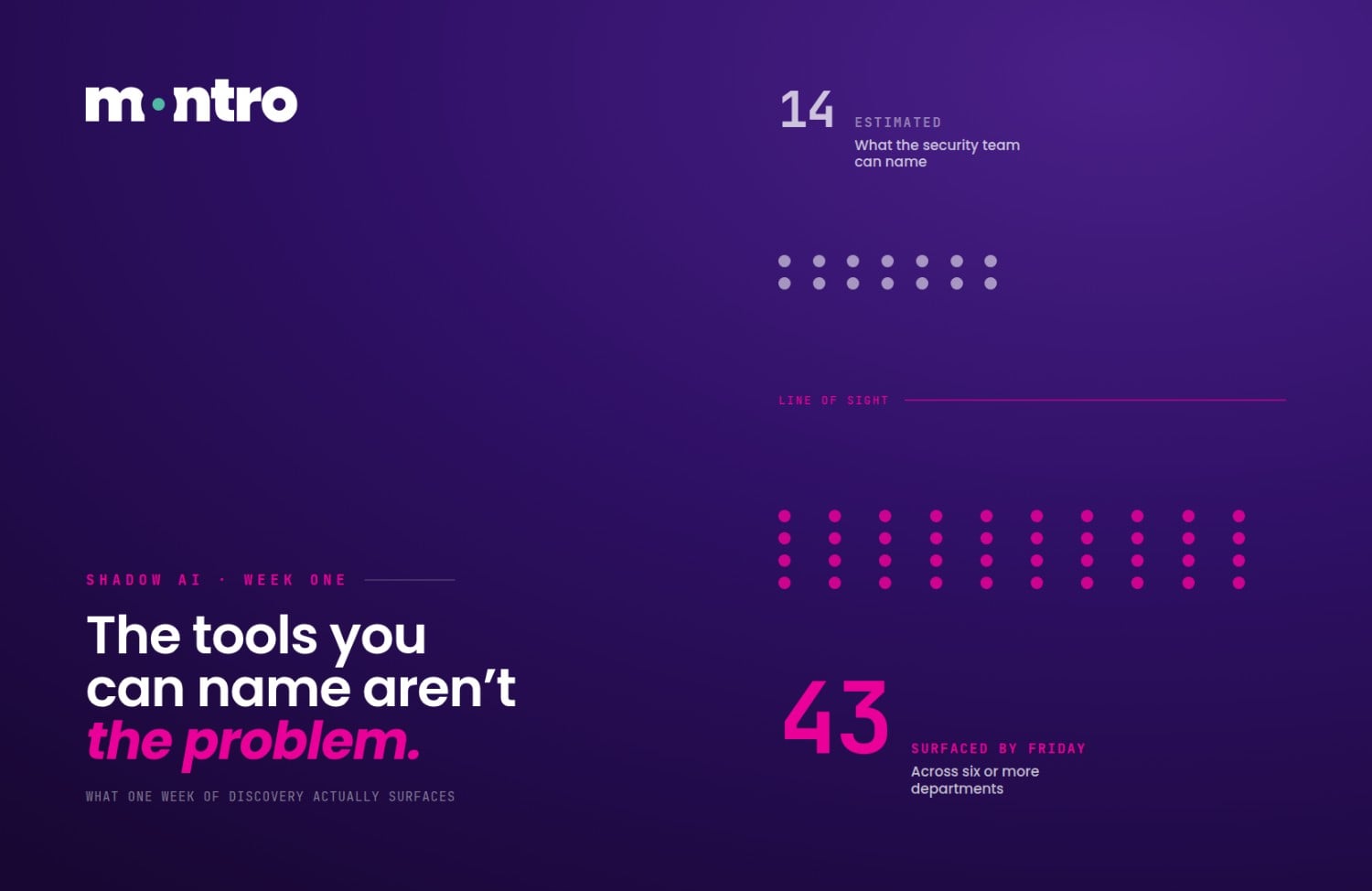
Ask your team how many AI tools your organisation uses. You'll likely hear a confident number - say, fifteen. Run a proper discovery audit, and you'll find five times that many. According to the 2025 State of Shadow AI Report by Reco, organisations managing roughly 490 SaaS applications have only authorised about 47% of them - and the explosion of GenAI adoption is making that gap wider every quarter.
The numbers are unambiguous. More than 80% of workers - including nearly 90% of security professionals - regularly use unapproved AI tools (UpGuard, 2025). Around 38% of employees share confidential data with AI platforms without employer consent (CybSafe / NCA, 2024). And when a breach occurs in a high-shadow-AI environment, it costs an average of $670,000 more than a standard breach (IBM, 2024). You are not dealing with a fringe behaviour problem - you are dealing with a systemic visibility gap.
This guide gives IT Directors and CISOs five concrete methods to close that gap, ranked from narrowest to broadest coverage, with honest limitations for each. We also explain what responsible, ongoing governance looks like once the initial audit is done.
Method | ☑ What It Finds | ⚠ What It Misses |
01 OAuth App Discovery | ☑ Finds AI tools integrated with M365 & Google Workspace via OAuth; unapproved apps accessing email, calendar, docs | ⚠ Misses Desktop apps, direct website access, browser extensions with no OAuth handshake |
02 SSO / IdP Log Analysis | ☑ Finds AI platforms authenticated via Okta or Azure AD using corporate credentials | ⚠ Misses Tools bypassing SSO; personal account logins; free-tier usage outside corporate IdP |
03 Expense & Procurement Mining | ☑ Finds Subscriptions paid on corporate cards; AI line items in procurement records | ⚠ Misses Free-tier tools; personal accounts; AI bundled inside other SaaS subscriptions |
04 Browser Extension Detection | ☑ Finds AI-powered extensions installed on managed browsers (e.g. Copilot, Grammarly AI, Otter.ai) | ⚠ Misses BYOD devices; personal browser profiles; mobile apps; non-browser AI access |
05 Multi-Vector Discovery Platform | ☑ Finds Aggregated view across all four signals; continuously updated AI tool inventory | ⚠ Misses Personal devices with no MDM enrolment; air-gapped networks; fully offline AI models |
Method 1 - OAuth App Discovery via M365 and Google Workspace
OAuth App Discovery is the fastest way to surface AI tools that have quietly embedded themselves into your productivity stack. When an employee authorises a third-party app - say, an AI writing assistant or meeting-note tool - that application requests OAuth scopes against your corporate tenant. Those grants are logged, auditable, and, crucially, searchable.
How to run the export:
Microsoft 365: Navigate to the Azure Active Directory admin centre → Enterprise Applications → All Applications. Filter by Application type: "All Applications" and set the Status filter to "Enabled". Export to CSV. Pay particular attention to any application granted high-privilege scopes such as Mail.Read, Files.ReadWrite.All, or Calendars.ReadWrite. Cross-reference the app list against your approved AI registry.
Google Workspace: Go to Admin Console → Security → API Controls → Manage Third-Party App Access. Use the "Connected Apps" report to see all OAuth-authorised apps per user. Export as CSV. Flag any app with drive, gmail, or calendar scopes that is not on your sanctioned list.
Focus your review on apps that are not published on the Google Marketplace or Microsoft AppSource, and on any app requesting read/write access to sensitive data stores. Cross-reference with your approved AI tool list - anything unrecognised warrants investigation.
⚠ Limitation: OAuth Discovery only catches AI tools that requested OAuth access to M365 or Google Workspace. AI accessed via a standalone desktop app, a direct browser tab, or a native API call will not appear in these logs. It is a wide net, but not a complete one. |
Method 2 - SSO and Identity Provider Log Analysis
Your Single Sign-On platform - whether that's Okta, Azure AD, or another identity provider - sits at the authentication layer for most enterprise-grade applications. Analysing its sign-in logs gives you visibility into every AI tool employees are accessing with their corporate credentials.
Where to look:
- Okta: Reports → System Log → Filter by Application. Export to SIEM or download CSV. Sort by application name and look for any AI or productivity tool not listed in your application catalogue.
- Azure AD: Azure Portal → Microsoft Entra ID → Monitoring → Sign-ins. Filter by Application type → Enterprise Applications. Export logs and pivot on App Display Name.
Cross-reference the list of applications accessed against your approved AI registry. Any AI service authenticated through corporate credentials but not on the approved list is shadow AI. SSO logs also reveal usage frequency - a tool accessed thirty times a day by a dozen employees is not an experiment; it is an embedded workflow.
⚠ Limitation: SSO analysis only surfaces tools your employees access via corporate login. Free-tier AI tools (ChatGPT free, Gemini personal, Claude.ai without enterprise SSO) accessed using a personal email account are entirely invisible to this method. According to Menlo Security, 68% of employees who use GenAI at work access it through personal accounts. |
Method 3 - Expense and Procurement Data Mining
Shadow AI often leaves a paper trail - it just appears on the wrong ledger. Finance teams are sitting on one of the richest signals for unauthorised AI adoption: corporate card statements and procurement records.
Work with your finance department to pull all transaction data for the past twelve months. Filter for keywords such as "AI", "GPT", "Anthropic", "Mistral", "Jasper", "Runway", "Midjourney", "Otter", "Notion AI", and the names of any AI tools your security team is aware of. Flag every line item that does not correspond to a formally procured tool.
78% of IT leaders reported unexpected SaaS charges due to AI consumption-based pricing models - up from 65% in 2024 |
Beyond credit card charges, review procurement records for AI-related software requests submitted outside the formal approval channel - particularly from marketing, sales, and engineering teams, who consistently appear as the heaviest shadow AI users. According to the 2025 State of Shadow AI Report, OpenAI's services alone account for 53% of all shadow AI usage in studied enterprises.
⚠ Limitation: Expense mining only catches AI tools paid for via corporate channels. Free-tier usage - which is rampant; 21% of employees still use free-tier ChatGPT even when a company-approved tool is available - leaves no financial trace. Personal accounts, open-source models running locally, and AI features bundled into existing SaaS contracts are also invisible to this method. |
Method 4 - Browser Extension Detection
Browser extensions are the stealth vector of shadow AI. They require no IT approval, no SSO integration, and no corporate card. An employee installs a Grammarly AI, Otter.ai, or ChatGPT sidebar extension in seconds - and it immediately begins handling potentially sensitive content.
Deploy browser management software (such as Chrome Enterprise, Microsoft Edge management policies, or a dedicated endpoint tool) that inventories installed extensions across managed devices. Configure alerting for extensions that match a keyword list of known AI tools, or use an extension allowlist approach where anything not pre-approved triggers a review workflow.
Real-time monitoring is the goal: you want to know when an AI extension is installed, not discover it three months later during an audit. Browser policies in Chrome Enterprise and Edge allow administrators to block unlisted extensions entirely or require approval before installation activates.
⚠ Limitation: Browser extension detection only works on managed devices using corporate browser profiles. BYOD devices - increasingly common in hybrid work environments - fall outside this visibility window. Employees using personal laptops, phones, or even a personal Chrome profile on a company device will not appear in the managed inventory. Mobile AI apps and desktop clients also bypass browser-level controls entirely. |
Method 5 - Automated Multi-Vector Discovery
Each method above catches a different slice of shadow AI. The only way to get close to complete visibility is to run all of them simultaneously and correlate the outputs - which is the architecture that serious shadow AI governance programmes are built around.
Automated multi-vector discovery platforms - such as Montro's Discovery Audit - ingest signals from your identity provider, OAuth logs, expense data, browser management tools, and network traffic analysis into a single, continuously updated AI tool inventory. Rather than a manual quarterly export, you get a live map of every shadow AI tool in use across the organisation, enriched with security grades, data-access scopes, and regulatory risk flags aligned to frameworks such as the EU AI Act, GDPR, NIS2, and DORA.
490 average SaaS applications managed per enterprise - only 47% of which are authorised |
Dedicated platforms also apply risk scoring. As the 2025 State of Shadow AI Report found, the ten most widely used shadow AI applications in enterprises had alarming security gaps - three received failing security grades, lacking basic controls like encryption and MFA. Popularity, the report notes, does not equal safety.
⚠ Limitation: Even the most comprehensive platform cannot fully monitor personal devices not enrolled in your MDM, or employees accessing AI tools from home networks. This residual gap requires policy controls and employee education rather than technical detection alone. Roughly 60% of AI users still rely on personal, unmanaged tools for at least some of their work (Proofpoint, 2025). |
Maintaining Ongoing Visibility
Shadow AI discovery is not a one-time audit - it is a continuous programme. New AI tools launch weekly, existing SaaS applications embed AI features overnight, and employees constantly find new ways to be productive. A clean bill of health in January does not mean you are safe in March.
Five methods sounds like a lot. It is not. It is the minimum. Every method on this list has a blind spot. OAuth misses personal accounts. SSO misses free tiers. Browser detection misses BYOD. Even a multi-vector platform cannot find a personal device that never touched your network. The reason you need all five methods is not because any one of those methods is weak; it is because shadow AI is not one problem. It is five problems overlapping, and each requires a different lens. The organisations that run one method and call it done are not discovering shadow AI; they are discovering the piece of shadow AI that their chosen method can see. And that is a very different thing. - Ankur Arora, Co-Founder, Montro |
Recommended review cadence:
- Automated discovery signals: continuous / real-time via platform
- OAuth and SSO log review: monthly, with SIEM alerting for new applications
- Expense and procurement sweep: quarterly, aligned to financial reporting cycles
- Full AI tool risk assessment and regulatory alignment: every six months or following a major regulatory update (e.g. EU AI Act milestone dates)
Assign clear ownership. The most effective programmes designate a named individual - typically the CISO or a Deputy CISO - as AI Governance Lead, with accountability for the discovery programme, remediation tracking, and quarterly reporting to the board. Without named ownership, shadow AI discovery becomes everyone's responsibility and no one's priority.
Pair technical detection with policy enforcement and employee education. The EisnerAmper 2025 survey found only 36% of companies have a formal AI policy, which makes the same point without relying on an unverified figure. Close the awareness gap first, close the AI tool discovery gap second. Without both running together, the technical programme surfaces tools that the policy layer cannot act on, and the policy layer governs tools that the technical programme cannot see.
Frequently Asked Questions
Which shadow AI detection method has the widest coverage?
No single method does, which is why five layers need to run together: OAuth discovery, SSO log analysis, expense and procurement mining, browser extension detection, and AI feature flagging against a live SaaS catalogue. OAuth finds tools integrated with M365 and Google Workspace but misses standalone tools. SSO finds corporate-credential usage but misses personal accounts. Expense mining finds paid tools but misses free-tier adoption. Browser detection finds managed devices but misses BYOD. Even combining all five, personal devices outside MDM remain a residual gap.
What should an organisation do when a shadow AI tool is discovered?
Three steps in sequence. First, classify the tool against the EU AI Act risk tiers to determine urgency. Second, assess the regulatory exposure, does it process personal data without a DPA, is it an unregistered ICT third party under DORA, does it represent an unvetted NIS2 supply chain participant. Third, decide: sanction the tool at an appropriate tier with proper contractual arrangements, or require migration to a sanctioned alternative. The classification drives the timeline, a prohibited-practice tool requires immediate action; a minimal-risk tool can be managed through the next procurement cycle.
Can shadow AI be detected on personal devices?
Only partially. Technical detection works best on managed devices enrolled in MDM. Personal devices, personal browser profiles, and home network access create a residual visibility gap that technical controls cannot fully close. The practical response is a combination of clear acceptable use policy, only 36% of companies have a formal AI policy in place, meaning most employees have no official guidance, and sanctioned alternatives that make the approved route easier than the unsanctioned one.
How is detecting shadow AI different from detecting shadow IT?
The embedded AI category makes shadow AI fundamentally harder to detect. Shadow IT requires an employee to adopt a new application; which leaves traces in OAuth logs, SSO, and expense data. Shadow AI can activate inside an application the firm already approved, with no new authentication event, no new expense line, and no new OAuth grant. A project management tool shipping an AI summarisation feature by default leaves no signal in any of the first four detection methods. Only continuous multi-vector AI tool discovery with AI feature flagging against a live SaaS catalogue catches this category reliably, and it is the capability gap that separates a genuine shadow AI governance programme from a periodic audit exercise.